
Safety
An assistant gets to act.
It does not get to set the rules.
An assistant that can act in your real accounts needs its limits set outside the model, by you. Every limit on this page is checked inside the path an action takes, which means a refusal happens before your accounts are touched at all.
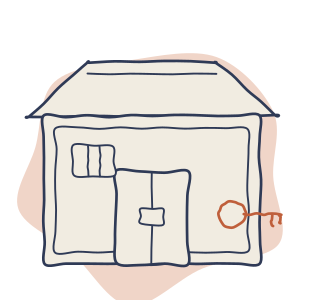
Four promises
Two of these are refusals rather than claims. A refusal is something you can check.
Control
You decide which apps it may reach and which actions it may take in them. How that is held.
Approval
Nothing that spends money or reaches a person outside your company happens without someone saying yes. Who that someone is.
Budget
You set a ceiling on what it may spend, and it stops when it gets there. Where the ceiling bites.
Record
Every action is written down, and nobody can quietly drop one, because no path through the system is allowed to skip that write. What the record holds.
Where your passwords live
You connect each account once, the way you would connect an app to your calendar. The password or the token goes straight into a locked store. Your assistant never sees it, and neither does anything else in the system: there is no way to read one back out. Not the assistant, not you, not us.
What the assistant gets instead is a numbered claim ticket. It is enough to say act as this person in this app, and it is not enough to walk off with the account. A request that carries no ticket does not go out unsigned; it fails instead.
- Each person connects their own accounts. The connection belongs to the person who made it and lasts as long as they leave it in place.
- You can cap what it may ask for. A project can say which permissions its connections are allowed to request, and that cap is checked before the consent screen is built rather than after you have already agreed to something.
- Taking it away is one step. Revoke the connection and every future action through it stops. Work that is already running finishes or fails and says which it did.
Who can act as whom
Work done for one person cannot touch another person's account, and one company's records are invisible to another company's.
Asking for something that belongs elsewhere gets the same answer as asking for something that does not exist, so nobody learns what else is in there by guessing.
Keys are made on the command line rather than over the network, so there is no starter password to leak, and no wrong answer to a bad key ever repeats the key back.
The order things happen in
This is the sequence every single action goes through, and the order is what decides what a refusal costs.
- Work out what was actually asked for.
- Read the details of the request.
- Refuse anything that deletes or destroys unless the request says yes to that in so many words.
- Check your rules: what is allowed, what is denied, who may act, what needs a person, how often it may act at all.
- Take the lock, where the work needs one.
- Only now, unlock the account and go.
A refusal therefore unlocks nothing, holds nothing open, and never reaches your apps. That is the reason the checks sit inside the path rather than in front of it. A request turned back at the third screen never gets as far as the storehouse, and the key stays where it is.
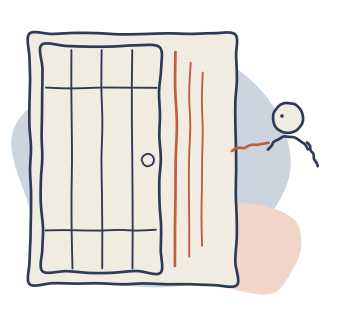
Your rules are one document per project. Changing it takes an approver, and an assistant is refused. An assistant that could rewrite the rules could delete the ceiling, the deny list and the approval step in one move, which would make all of them advice rather than limits.
Approvals, and who may give them
The asker is never the approver
Something waiting on a person is released by a different person who is allowed to release it. The person who asked for it cannot be the person who approves it, which is the property that makes an approval mean anything afterwards.
Once per plan, not once per click
For a big piece of work, the whole plan is an object before it runs, so you can see its scope and its cost and answer once. A plan that would do something you have ruled out is stopped before its first step rather than partway through.
You can ask what it would do
A rehearsal reports what a real run would touch without anything landing, without using up the permission a real run still owes you, and without the real run mistaking the rehearsal for work already done.
Ceilings

You write down what a project may spend and how fast it may act, and both are checked in the same place as everything else on this page: before the account is unlocked.
When the ceiling is reached the next request comes back refused and says so, rather than being quietly dropped or retried until it works.
Two are worth setting on the first day.
- Money. So a long job cannot spend more than you meant it to.
- Pace, per person. So a mistake that would have sent a thousand messages sends the first few and then stops.
Where it is allowed to reach
There is a written list of every outside address it is permitted to contact. Everything not on the list is refused, and the refusal is recorded along with what was actually reached.
| What goes on the list | Where the entry comes from |
|---|---|
| The apps you connected | Added when the connection is made, and removed when you revoke it. |
| Anything you registered yourself | Your own model address, your own tools, named by you. |
| Your own storage | The bucket a project's files and collections point at. |
| An address issued to your account alone | Some services give every customer their own. The one your account answers on is the one the list names. |
You do not write that list by hand, and every entry says why it is there. That is deliberate: a list you maintain by hand is a list somebody forgets to trim. A request that never established which address it belongs to is refused rather than sent somewhere nobody chose.
The record
Writing the record is the last step of every action and it is not optional. No path through the system is allowed to skip it, which is what makes the record complete rather than mostly complete.

- What ran, what changed, what was skipped and why, and what is still waiting on you.
- A partial result says it is partial. A job that could not read everything finishes and names what it missed, rather than reporting a clean run over half the work.
- A crash halfway through does not send anything twice. When it picks up again it knows what already went out.
- Your own code, where you write some, runs sealed off from everything: no network, no clock, no files.
Connecting a server you trust
When you add a connector to Claude, Claude warns you that a bad one can carry hidden instructions, and tells you to connect only servers built by people you trust. That warning is about us as much as anyone, so here is the answer to it.
- Who runs it. The team builds atmon, and today you run it yourself, on your own machine, against your own accounts.
- What it can do. Reach the apps you connected, under the rules you wrote, and write the record. It cannot change those rules, and it cannot reach an address that is not on the list above.
- What the tools are. The actions it offers are data held to a test suite, rather than code that can quietly change under you.
- How you take it back. Remove the connector in your assistant, or revoke the key, or revoke the account connection. Any one of the three ends it, and the record of what happened before stays.
Questions people actually ask
Is this too technical for me?
Connecting an account is a consent screen, the same as connecting any app. Setting a ceiling and deciding what needs your approval is a short list you write once. Getting it running the first time is one page of setup, and through the beta the team will walk it with you.
What if my assistant does something I did not intend?
It can only reach the apps you connected, only take the actions you allowed, and only up to the ceiling you set. Anything that deletes, spends or leaves your company waits for a person. Whatever did happen is in the record, with what it changed.
Where do my passwords go?
Into a locked store, the moment you connect. Your assistant is handed a claim ticket instead, and nothing in the system can read a password back out, so nothing can hand one to a model by accident.
How do I take the access away?
Revoke the connection for that app, or the key for that assistant. New work stops immediately. Work already in flight ends and says how far it got.
What we are not claiming
atmon is in beta, and the honest boundary matters more here than anywhere else on this site.
- One live vendor account, not the whole list. GitHub is the first provider sign-up registered. Every other path above is proven against stand-in services and made-up data rather than against a real account.
- No outside audit. There is no third-party security audit and no certification to point at today.
- What does exist. The design above, on trunk, with tests, and a team that would rather tell you this plainly than let you assume otherwise.
For your security reviewer
One panel, in the vocabulary a reviewer searches for. Everything in it is stated in plain words somewhere above; this is the same set of facts with the terms attached.
The technical detail, in the reviewer's terms
- Credential storage.
AES-256-GCMwith a fresh nonce per value, in a versioned envelope. The key is deployment-provided, and a missing or malformed key means the module refuses to start. There is no plaintext fallback. - No read path. No method on any surface returns a stored key or token. A submitted API key is sealed exactly like an OAuth token, and outbound requests are authorized by the credential module against a placeholder rather than by handing the secret to the caller.
- Tenancy. Project-scoped reads, the way row-level security works. A record in another project reads as missing rather than as forbidden. Only a
SHA-256hash of an API key reaches the database; the plaintext is returned once at creation and never stored or logged. - Scope caps. Per-project caps on requested provider scopes, checked before the consent URL is built rather than at call time, because a granted scope is real once the user approves it.
- Gate order. Tool lookup, argument parsing, mutation class, policy (deny, allow, entity visibility, approval, velocity), lease, then the credential. Policy runs to completion before any credential leaves the store.
- Separation of duty. A parked call is released by a different, authorized key. The requester cannot self-approve. Writing the policy document requires the approver role.
- Egress governance. An allowlist with a reason per host, computed from the apps a project has connected, its registered endpoints, the model endpoint and the storage backend, on a labeled transport that refuses everything else, with an audit of refusals and of hosts actually reached.
- Idempotency. Keys derived per row and scoped per mode, so a crash and resume cannot double-send and a dry run does not spend the key the real run presents.
- Sandboxing. Customer code in a reduce step runs in a wasm sandbox with no host imports: no network, no clock, no filesystem.
- Audit. The ledger write is the unconditional last step of every call and job step. No execution path may skip it.